बीमा एजेंसी में Claude Code से क्लेम इनटेक सुरक्षित रखें
बीमा एजेंसी के लिए redacted CSV, अलग attachment, permissions, मानव review और consultation वाला workflow.

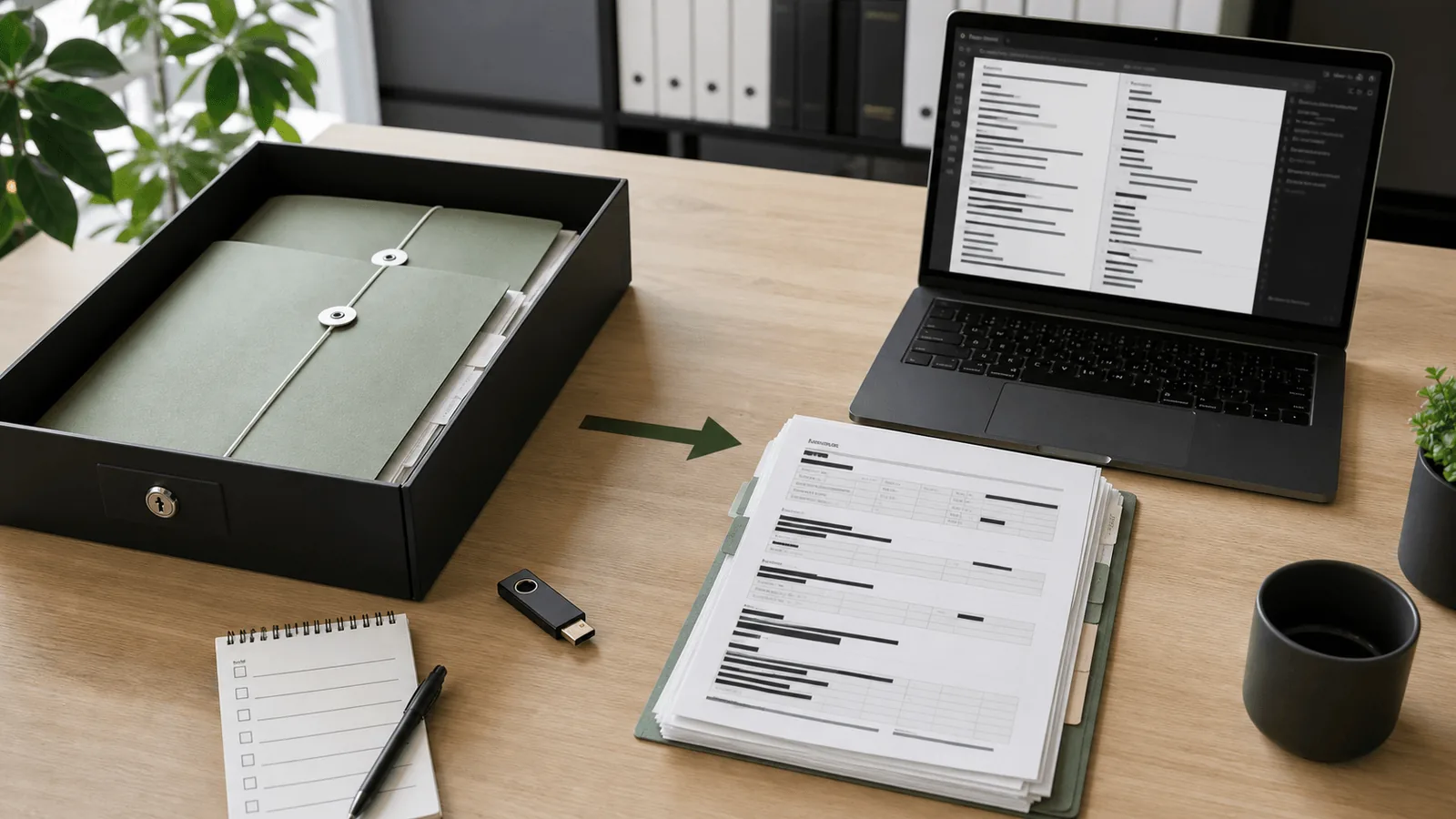
क्लेम इनटेक inbox में ग्राहक का ईमेल, policy PDF, repair estimate, accident note और medical certificate की photo एक ही folder में पड़ी है।担当 व्यक्ति जल्दी से missing documents वाला reply भेजना चाहता है, इसलिए पूरा folder Claude Code को पढ़ाने का मन होता है। यहीं गलती शुरू होती है। Policy number, address, phone, vehicle number, diagnosis और counterparty name draft में आ सकते हैं। आज पहले prompt नहीं, बल्कि intake CSV और original attachments को AI work copy से अलग करने वाली table ठीक करनी है।
बीमा एजेंसी में claim intake customer support, insurer handoff, document follow-up और internal approval को जोड़ता है। Claude Code redacted CSV classify करने, missing document category निकालने, email draft बनाने और permissions देखने में मदद कर सकता है। लेकिन claim payment, coverage, exclusion, liability, medical evidence, consent और हर insurer का official destination इंसान तय करेगा।
इस article के लिए official sources देखे गए: Claude Code permissions, Claude Code sandboxing, Japan FSA का financial-sector personal information protection, PPC का cloud-service notice, और PPC का insurance companies and agencies material। यह individual legal advice नहीं है। एक ही primary CTA है: training and consultation, क्योंकि role, approval line और fictional fixtures के साथ अभ्यास तय करना पड़ता है।
मुख्य बातें
- Originals
claim-raw/में रखें, redacted working copyclaim-ai-work/में रखें। - Claude Code को केवल claim ID, case type, date band, missing document category, redacted summary और next owner दें।
- Policy number, address, phone, email, VIN, medical certificate, diagnosis, counterparty data और carrier-specific notes बाहर रखें।
- तीन उपयोग के मामले हैं: intake CSV classification, missing-document email, और insurer-specific submission checklist।
- ROI draft time के साथ review time, rework, और pre-input check में रुके records से मापें।
कार्यप्रवाह: CSV और attachment अलग करें
Claim folder को चार हिस्सों में बाँटें। claim-raw/ में original emails, policies, medical files, photos और estimates रहते हैं। claim-transform/ में field map और replacement rules रहते हैं। claim-ai-work/ में AI के लिए redacted copies रहती हैं। claim-approved/ में human-approved email और checklist रहती है।
| Folder | सामग्री | Claude Code access |
|---|---|---|
claim-raw/ | Original emails, policies, medical files, photos, estimates | Read/write deny |
claim-transform/ | Field map, rules, check command | Human review के बाद run |
claim-ai-work/ | Redacted CSV, category table, draft material | Read/write allow |
claim-approved/ | Approved email और checklist | Human storage |
Working CSV की row छोटी रखें: claim_id, case_type, received_date, missing_document_type, redacted_summary, next_owner, carrier_channel। carrier_channel में “Carrier A portal” या “Carrier B desk” जैसा category चलेगा, लेकिन real email, staff name या direct contact नहीं।
Accident note का free text सबसे कमजोर जगह है। “ग्राहक के घर के सामने”, “माँ passenger थीं”, “collision के बाद neck pain” जैसी line identity, family relation और health detail बता सकती है। AI copy में “policyholder A”, “passenger B”, “medical detail exists; check original” लिखें। Diagnosis, hospital name और medical document content work file में न रखें।
PPC के insurance-agency material में ऐसे cases हैं जहाँ policyholder data insurer के हिसाब से अलग नहीं रहा, seconded staff ने inappropriate sharing की, और organizational तथा human safeguards कमजोर रहे। इसलिए boundary केवल technical setting नहीं है। यह गलत insurer को गलत relationship की जानकारी भेजने से बचाने वाली business operation है।
flowchart TD
  A[claim-raw originals] --> B[claim-transform field map]
  B --> C[Redact and limit]
  C --> D[Pre-input check]
  D --> E[claim-ai-work copy]
  E --> F[Claude Code draft]
  F --> G[Human review]
  G --> H[claim-approved final]
Claude Code क्या करेगा और इंसान क्या तय करेगा
Claude Code anonymization के बाद sorting करेगा। यह CSV rows classify कर सकता है, missing document categories दिखा सकता है, staff questions बना सकता है, और customer email draft कर सकता है। उदाहरण: “auto property damage, repair estimate missing, accident date present” से checklist item और polite request बन सकती है।
इंसान coverage, payment, exclusion, liability, medical evidence, counterparty contact, official submission, consent और retention तय करेगा। Claude Code का draft सीधे नहीं भेजा जाएगा। Staff original file, insurer procedure, approved wording और real recipient check करेगा।
Permissions और sandbox साथ लगते हैं। Permissions तय करते हैं कि कौन सा tool किस file या domain तक जा सकता है। Official docs बताते हैं कि permissions और sandbox complementary layers हैं: permissions Read, Edit, Bash, WebFetch और MCP जैसे tools पर लागू होते हैं; sandbox Bash commands और child processes पर OS-level boundary देता है। इस workflow में Read(/claim-raw/**) और Edit(/claim-raw/**) deny करें, केवल claim-ai-work/ allow करें, और sandbox में भी original folder deny करें।
Related background के लिए Claude Code permissions guide और Claude Code security practices देखें।
तीन उपयोग के मामले
Use case 1: Intake CSV को claim type और missing document से classify करें
- इनपुट:
claim_id, केस प्रकार, प्राप्ति तारीख, छिपाया गया सार, attachment श्रेणी, team owner. - आउटपुट: वर्गीकरण, कमी वाले documents, original जाँच column, staff के सवाल.
- मानव समीक्षा: coverage, contract, policy number, counterparty data, medical files, carrier destination.
Claude Code से candidates और review fields मांगें, final decision नहीं। Busy day में redacted CSV भी बता देती है कि कौन से cases repair estimate, accident note या portal upload का इंतजार कर रहे हैं।
Use case 2: Missing-document email draft करें
- इनपुट: claim ID, ग्राहक का छद्म label, कमी वाली document श्रेणी, जवाब की तारीख, जमा करने के विकल्प, channel category.
- आउटपुट: subject, body, document list, reply caution, भेजने से पहले checklist.
- मानव समीक्षा: recipient, असली customer name, असली documents, carrier name, submission method, attachments.
इस email में सुंदर भाषा से अधिक सही recipient और सही document name मायने रखते हैं। AI copy में “repair estimate”, “accident note”, “medical-related document” जैसी category रखें, detail नहीं। यह structure inquiry workflow से जुड़ता है।
Use case 3: Insurer-specific submission checklist बनाएं
- इनपुट: carrier category, claim type, submission channel, required document category, staff role, निषिद्ध जानकारी.
- आउटपुट: submission से पहले checklist, carrier review column, न भेजी जाने वाली जानकारी, approver, hold reason.
- मानव समीक्षा: outsourcing scope, consent, carrier rules, official destination, hold के दौरान customer contact.
Multi-carrier agency को relationship के हिसाब से data अलग रखना पड़ता है। Claude Code destination तय नहीं करेगा। यह ऐसे boxes बनाएगा जहाँ इंसान approved carrier channel और sharing scope confirm करे।
Copy-paste prompt
यह prompt तभी use करें जब redacted CSV claim-ai-work/ में हो। Original policy, medical file या email text न जोड़ें।
You support insurance-agency claim intake.
Read only ./claim-ai-work/intake-redacted.csv and output in this order:

1. Claim type candidate for each claim_id
2. Missing document category
3. Original record fields a staff member must check
4. Draft missing-document email to the policyholder
5. Pre-send checklist

Constraints:
- Do not decide payment, exclusion, liability, or coverage
- Do not infer policy number, address, phone, email, VIN, diagnosis, or counterparty name
- Do not read original folders, send email, call external services, or delete files
- If you detect personal-data-like values, stop and report only the field name
- End with: "Not sendable before staff review"
चलने वाला check code
अगर helper file introduce करें, exact path tools/check-insurance-claim-input.mjs है। यह article repository में वह file नहीं बनाता। नीचे complete content है और यह केवल fictional local fixtures use करता है।
const files = [
  {
    path: "claim-ai-work/intake-redacted.csv",
    text: "claim_id,case_type,redacted_summary\nC-001,auto_property,front bumper damage"
  },
  {
    path: "claim-ai-work/bad.csv",
    text: "claim_id,email,policy_number\nC-002,[email protected],AB1234567890"
  }
];

const blockedFieldNames = ["name", "email", "phone", "address", "policy_number", "vin", "diagnosis", "hospital", "counterparty"];
const valuePatterns = [/[A-Z]{2}\d{10}/, /[\w.+-]+@[\w.-]+\.[A-Za-z]{2,}/, /\b\d{2,4}-\d{2,4}-\d{3,4}\b/];
const findings = [];

for (const file of files) {
  const lower = file.text.toLowerCase();
  for (const field of blockedFieldNames) {
    if (lower.includes(field)) findings.push({ path: file.path, type: "blocked field", field });
  }
  for (const pattern of valuePatterns) {
    if (pattern.test(file.text)) findings.push({ path: file.path, type: "blocked value", pattern: String(pattern) });
  }
}

console.table(findings);
if (findings.length > 0) process.exitCode = 1;
यह check privacy guarantee नहीं करता। यह obvious field names और simple values पकड़ता है। PDF, image, handwriting और कई columns मिलाकर पहचानना इसके बाहर है। इसलिए human review रहना चाहिए।
सामान्य गलतियाँ और सुधार
पहली गलती: केवल policy number हटाना। Accident note में address, VIN, counterparty, employer, hospital और diagnosis बच सकते हैं। सुधार: हर task के allowed fields तय करें और free text को short redacted summary में बदलकर ही claim-ai-work/ में रखें।
दूसरी गलती: अलग insurers की information एक work copy में मिलाना। Multi-carrier agency गलत company को दूसरी relationship का data भेज सकती है। सुधार: official company name और destination human review path में रखें; AI file categories रखे।
तीसरी गलती: यह मानना कि Read deny हर shell या external tool रोक देगा। Official docs permissions और sandbox को अलग layers बताते हैं। सुधार: deny rules, sandbox denyRead, denyWrite मिलाएँ और sandbox unavailable हो तो workflow रोकें।
चौथी गलती: test में real claim data इस्तेमाल करना। Terminal history और screenshots sensitive values रख सकते हैं। Allow और deny tests के लिए fictional claim IDs और fictional emails use करें।
छोटा ROI measurement
पहले दो सप्ताह केवल missing-document email draft मापें। Change से पहले पांच cases में draft minutes, review minutes, rework count, recipient या document-name corrections लिखें। Change के बाद वही fields लिखें और pre-input stops जोड़ें।
cases × (draft minutes + review minutes + rework minutes) को pre-input stops के साथ देखें। अगर draft तेज है लेकिन review returns बढ़ते हैं, boundary अभी कमजोर है। Speed और prevented mistakes साथ गिनें: wrong insurer, policy number left, medical detail in AI copy, wrong recipient warning.
अक्सर पूछे जाने वाले प्रश्न
Q. Policy number हटाने के बाद file भेज सकते हैं?
नहीं। Name, address, phone, email, VIN, counterparty, medical certificate, diagnosis, employer और rare accident details भी देखें। Person यह check करे कि combined values policyholder identify न करें।
Q. Claude Code permissions काफी हैं?
अकेले नहीं। Permissions tool boundary बनाते हैं; sandbox, OS और folder operation दूसरी layer देते हैं। Fictional data से denial test करें।
Q. Medical certificate summarize करना हो तो?
इस workflow में medical certificate text AI copy में नहीं जाता। अगर अलग process चाहिए, तो contract, consent, purpose, provider role और internal rules पहले review करें।
Training and consultation
Insurance agency में settings file अकेली काफी नहीं है। तय करें originals कौन रखता है, redacted copies कौन बनाता है, email कौन approve करता है, insurer को कौन submit करता है, deletion date कौन देखता है।
Training and consultation real policy या medical document share किए बिना claim intake CSV, emails, attachments, carrier channels, permissions, pre-input checks और approval sheets map कर सकता है।
असल में क्या जाँचा गया
इस article में /images/hero/hero-056.webp का site/public/images/hero/hero-056.webp में होना, Claude Code permissions URL, sandbox URL, FSA URL, PPC cloud URL और PPC insurance-agency PDF URL confirm किए गए। JavaScript block केवल fictional arrays use करता है। Insurance-company API, customer database, email sending, या real claim data runtime test नहीं चलाया गया।
Publication checks slug insurance-agency-claim-intake-data-boundary-claude-code, frontmatter, internal links, external links, CTA, code fences, ten locale files और Qiita link को cover करते हैं। पहला practical step है fictional claim-raw/ और claim-ai-work/ folders बनाकर original folder denial test करना।
संबंधित लेख
टैक्स अकाउंटिंग फर्म में Claude Code: क्लाइंट डेटा को अनाम और सुरक्षित कैसे रखें
Claude Code से पहले क्लाइंट डेटा को अलग, अनाम और जांचने की सुरक्षित प्रक्रिया।

ग्राहक साइट बदलने से पहले Claude Code की अनुमति चेकलिस्ट
एजेंसी टीमों के लिए सुरक्षित AI संपादन: केवल पढ़ने, संपादन योग्य और निषिद्ध हिस्से तय करने का तरीका.

Claude Code से होटल कैंसलेशन जवाब: भेजने से पहले निजी डेटा रहित जांच तालिका
होटल में कैंसलेशन और तारीख बदलने के जवाब जांचें, बिना booking ID या guest data AI को भेजे।
मुफ़्त PDF: Claude Code cheatsheet
Email डालें और commands, review habits तथा safe workflow वाली एक-page PDF पाएँ.
हम आपका data सुरक्षित रखते हैं और spam नहीं भेजते.

लेखक के बारे में
Masa
Claude Code workflow और team adoption पर काम करने वाला engineer.