The 3-Minute Pre-Commit Check: Review What Claude Code Touched Before You Confirm
A 3-minute check to catch the changes Claude Code quietly widened before you commit: diff scope, proof, and staging only what you mean to.
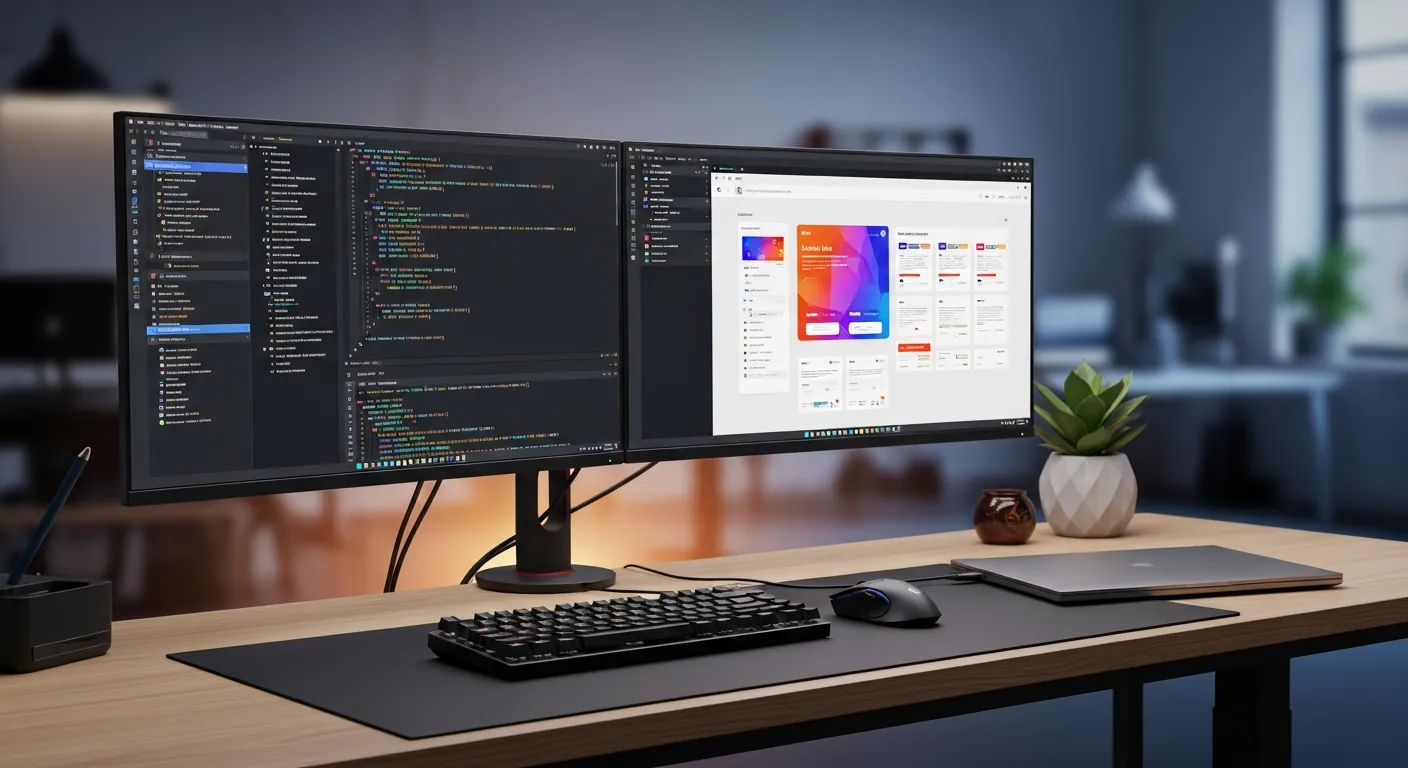
Late on a Friday, I asked Claude Code to “just fix the wording on that one button.” When it came back and I ran git status, there were 18 changed files. A button-label tweak had somehow grown to include the product-link map, related-article inserts, and a couple of translation files it had “cleaned up while it was in there.”
Every single change was helpful, made in good faith. But if I had committed all of it as-is, I would have swept in unsaved edits from a different task I had going, and the next day’s deploy would have thrown a mystery error that ate half my afternoon.
The smarter the AI, the more it tends to step a little past the edges of what you asked. There is no malice in it. That is exactly why you need one beat right before you confirm: stop here, and let a human look with their own eyes.
Key takeaways
- Claude Code can be perfectly faithful to your request and still quietly widen the area it touches. The pre-commit check is the work of catching that overrun.
- Run the check as a fixed three-minute routine, in order: name the scope, read the diff, verify, then stage only the files you chose.
- Hand the AI the doing of the change; keep the deciding of “how much belongs in this commit” with the human. Don’t let those two blur together.
- There’s a copy-paste check script below. It puts
git statusand a diff summary on one screen so fewer things slip past you. - A passing build is not the all-clear. Live rendering and the actual contents of translations still need a second set of human eyes.
Why put the check right before you confirm
The best moment for the check is not before you start, and not mid-task, but in the breath right before you commit. The reason is simple: that is the only instant when the full picture of which files the AI actually touched is finally settled.
No matter how firmly you say “only touch this part” up front, the AI will reach for anything it decides “may as well be fixed too” while it works. Stop it halfway and the job isn’t finished, so you don’t know what to look at yet. Everything done, one step short of confirming: that is the first point where you can hold “what I asked for” up against “what actually changed.”
The place I get burned most is anything tied to revenue. If a link to a product page shifts by a single character, a reader who clicks it lands on a “page not found.” However good the writing is, if the destination is dead, the sale ends right there. So when I read a diff, the first thing I check is whether any link destinations moved.
If you haven’t nailed down the basics of working with Claude Code yet, reading the Claude Code getting-started guide first will make the purpose of this check much clearer.
The order to run the check in three minutes
If you can’t keep it up every day it’s worthless, so I’ve trimmed the routine to four steps. It isn’t a perfect audit; it’s a light safety catch.
- Say the scope out loud. Restate what you asked for in one sentence: “fix the wording on the article’s button,” for example. This sentence becomes the yardstick for every later decision.
- Look at the list of changed files. Run
git statusand take in the lineup of files that changed. Any file that falls outside your one-sentence scope gets a mental sticky note. - Read the diff of the flagged files. Open only the out-of-scope files. For each one, decide: keep it if it’s a helpful change, drop it from this commit if it’s unrelated.
- Stage only the files you need. Don’t sweep everything in with
git add .. Add only the files this request actually needs, by name.
Step 3 is the pivot. Don’t reduce the scope the AI widened to a single “accept all” or “reject all” choice. A human decides, one file at a time, keep or drop. It’s unglamorous, but skip it and you get the 18-file accident from the top of this article.
What to delegate to the AI vs. what you decide
Blur this line and the check itself becomes theater. Here is how I split it.
| Task | Owner | Why |
|---|---|---|
| Carry out edits to prose or code | AI | High volume, mechanical to grind through |
| Fix syntax errors and obvious mistakes | AI | Clear rules, easy to automate |
| Decide whether a change belongs in this commit | Human | Only the human knows the intent behind the request |
| Verify link destinations and live rendering | Human | A passing build guarantees nothing about contents |
| Deletions, production data, billing operations | Human | Irreversible accidents must require human approval |
Hand the AI the “decide what to include” step too, and it will naturally try to include everything it fixed. Keep only the judgment in your own hands. That’s the single biggest knack for cutting down on accidents.
A copy-paste prompt template
When you let the AI help with the check, the trick is to make it lay out facts, not grade itself. Paste the template below as-is.
I'm about to commit. Before I confirm, report only the following as facts. I'll make the judgment calls.

1. Summarize this request in one sentence.
2. List the files changed per git status (including untracked).
3. Of those, which files seem to fall outside the one-sentence request, and why.
4. If any change could affect links or live rendering, point to the exact spot.

Do not write "looks fine." Lay out only the material I need to decide.
That last line does the work. Without it, the AI cheerfully wraps up with “no problems, safe to commit,” and the whole point of the check evaporates. For the finer mechanics of building prompts, I’ve gone deeper in advanced prompt engineering.
A check script you can run as-is
Typing out git status and git diff separately every time is a chore, so here’s a script that puts the whole picture of the change on one screen. I’ve included both PowerShell and bash versions. All they do is lay out “the list of changed files” and “lines added/removed per file.”
PowerShell version (Windows).
# precommit-check.ps1
# Before committing, see changed files and change volume on one screen

Write-Host "=== Files touched this time ===" -ForegroundColor Cyan
git status --short

Write-Host "`n=== Change volume per file (added / removed) ===" -ForegroundColor Cyan
git diff --stat HEAD

Write-Host "`n=== Pre-commit checklist ===" -ForegroundColor Yellow
@(
  "I can state the request in one sentence",
  "No out-of-scope files snuck in",
  "I looked at link destinations and live rendering",
  "I'll stage only the files this request needs"
) | ForEach-Object { Write-Host "  [ ] $_" }
bash version (macOS / Linux / Git Bash).
#!/usr/bin/env bash
# precommit-check.sh
# Before committing, see changed files and change volume on one screen

echo "=== Files touched this time ==="
git status --short

echo ""
echo "=== Change volume per file (added / removed) ==="
git diff --stat HEAD

echo ""
echo "=== Pre-commit checklist ==="
for item in \
  "I can state the request in one sentence" \
  "No out-of-scope files snuck in" \
  "I looked at link destinations and live rendering" \
  "I'll stage only the files this request needs"; do
  echo "  [ ] $item"
done
Running it is just this.
bash precommit-check.sh
The script decides nothing on its own. To keep the premise intact that a human does the deciding, I deliberately built it to only lay things out and show them. Once all four checklist items are filled in, you add only the files you need with git add <filename> and commit.
Three places this earns its keep
1. Before publishing articles or docs. When you publish multilingual articles in one shot, a translation file is sometimes left in English. The build passes, but the contents aren’t translated. Don’t be satisfied seeing only filenames in the diff; confirm the actual language of the body on the live page after publishing.
2. Rewriting an existing file. You meant to fix the prose, but in-page links and product names got rewritten too. If you fixed your scope in one sentence as “improving the prose,” a link change registers as out of scope and you pause on it once.
3. Rolling out to a team. Keep a record of how far Claude Code went automatically and where it asked a human. Run it with the approval rules vague (which operations may proceed on their own, which always ask a human) and accidents happen differently for each member, until it’s beyond untangling.
Common pitfalls and how to fix them
Pitfall 1: sweeping everything in with git add ..
This drags in the changes from a separate, unsaved task. The fix is simple: drop the . and make a habit of staging files by name. Even when it feels like a hassle, it’s the fastest insurance you’ll find.
Pitfall 2: feeling safe because the build passed. The build only looks at syntax; it doesn’t check whether link destinations are correct or whether a translation is translated all the way through. The fix is to actually open the live page and check the heading, body, and link destinations with your own eyes. A machine’s pass and a human’s pass are different things.
Pitfall 3: asking the AI “is this fine?” and calling it done. Asked that, the AI tends to say “you’re good.” The fix, as in the prompt template above, is to instruct it: “don’t write a judgment, just lay out the facts.” Hand the subject of the judgment back to the human and the check starts working again.
For making the check stick as a habit, I’ve collected more in Claude Code productivity tips. For the official behavior of git flags like --stat, you can check the Git official documentation.
FAQ
Q. I don’t have three minutes for a check every time. A. On a small-change day it takes one minute. It takes three minutes on days with lots of out-of-scope files, and those are precisely the days that needed checking. Think of the duration as a barometer of how dangerous the change is.
Q. Can’t I just let the AI handle staging too? A. For a small task you know to be safe, fine, let it. But I’d keep the final call on “which files to include” with the human. That’s the spot most likely to become the doorway to an accident.
Q. What should I put in the commit message? A. Two things: what you changed, and how you verified it. For example, “Fixed button wording; checked link destination on the live page.” When you look back later, you can tell at a glance whether it was verified.
Q. What if an out-of-scope file was actually a change worth keeping? A. Drop it from this commit anyway. You’re only splitting it into a separate commit, not deleting it. Keep “one intent per commit” and it’s far easier to trace later.
What happened when I actually tried it
After the 18-file incident at the top, I started slipping these four steps in before every confirm. I tried it across three patterns: publishing articles, rewriting files, and changing config.
The step that helped most was the first one: restating the request in a single sentence. Just saying it out loud makes the out-of-scope files jump into view. Once I stopped typing git add . after running the check script and started staging files by name instead, accidents that swept in other work dropped to zero.
And the surprise was the effect of changing how I asked the AI, from “is this fine?” to “just lay out the facts.” The same AI suddenly became a useful review partner. Rather than hunting for a smarter AI, hand the subject of the judgment back to the human. For me, that was the most unglamorous and most effective single move.
When you want to push permission design and pre-publish checks all the way down into how the whole team operates, I work out the concrete design together with you in training and consultation.
Related Posts

Claude Code Review Gate Before Commit: Diff, Tests, Public URL, and CTA Checks
A commit-time review gate for Claude Code work: diff scope, build, public URL, revenue CTA links, missing tests, and unrelated files.

Automate Your Pre-Publish Revenue Check: Stop Leaking Conversions with Claude Code
Traffic spiked but signups were zero. A dead link and a half-translated body. Here's the pre-publish funnel check I run with Claude Code.
Claude Code First PR Review Rubric: Catch Real Risk Before Style Feedback
A practical Claude Code PR review rubric for severity, evidence, test proof, and comments that find regressions before style nits.
Free PDF: Claude Code Cheatsheet
Enter your email and download the one-page Claude Code cheatsheet for commands, review habits, and safe workflows.
We handle your data with care and never send spam.
Level up your Claude Code workflow
Start with the free PDF, use Gumroad guides when you need repeatable workflows, and book consultation when rollout or revenue paths need human judgment.

About the Author
Masa
Engineer focused on practical Claude Code workflows. Runs claudecode-lab.com, a 10-language technical media site.
Related Products
50 Battle-Tested Claude Code Prompt Templates
Copy, paste, ship. 50 production-ready prompts.
Use proven prompts for code review, refactoring, testing, documentation, debugging, architecture, and incident response.
The Complete Claude Code Setup & Configuration Guide
From install to team-ready workflow.
A practical guide to installation, CLAUDE.md, hooks, MCP servers, permissions, IDE setup, and CI/CD workflows.