Claude CodeでLPを作る:CVを生むヒーロー・CTA・計測の設計
見た目だけのLPはなぜ売れないのか。Claude Codeでヒーロー、CTA設計、表示速度(LCP)、計測、A/Bテストまで作り込み、コンバージョンを上げる実装手順。
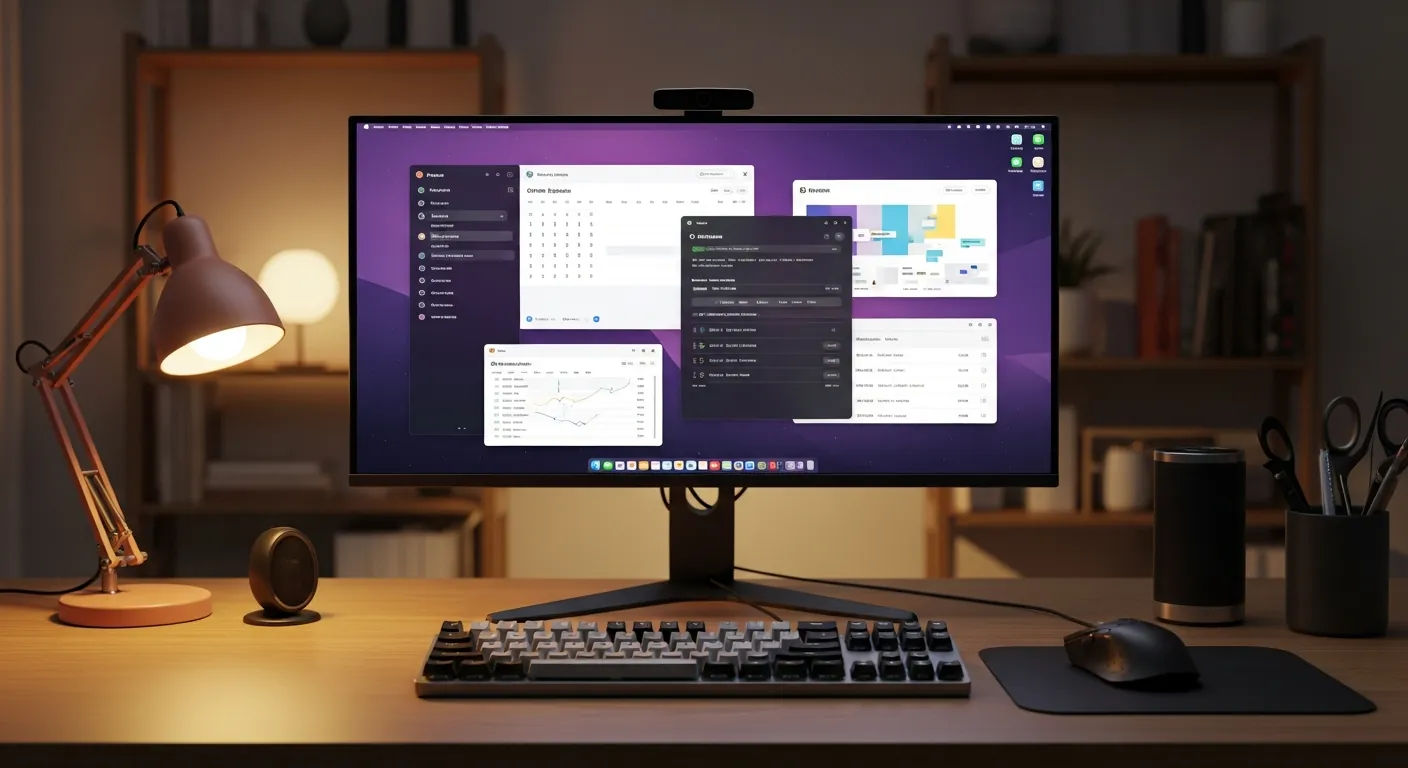
Claude Codeに「ランディングページ作って」と頼んだら、30分でそれっぽい1枚ページが出てきました。グラデーションの効いたヒーロー、アイコン付きの3カラム、最後に問い合わせフォーム。見た目は完璧。
公開して、3週間。問い合わせはゼロでした。
何が悪かったのか。後から計測を仕込んで分かったのは、訪問者の8割がファーストビューだけ見て帰っていたこと。ボタンは「お問い合わせ」とだけ書いてあって、押した先で何が起きるか誰も分からない。きれいなページと、人が動くページは、まったくの別物だったんです。
今日はその失敗を踏まえて、Claude CodeでLP(ランディングページ)を「コンバージョンする導線」として組む手順を書きます。ヒーローの言葉選び、CTAの設計、表示速度、計測、A/Bテスト。順番に潰していきます。
この記事の要点
- LPは「きれいなページ」ではなく、流入した人を迷わず次の行動へ運ぶ1枚の導線。見た目から作ると失敗する。
- 効くのは、対象読者・オファー・CTAをファーストビューで一致させること。Claude Codeには「誰に・何を・次に何を」を渡す。
- CTAは2つに絞る(主CTA+補助CTA)。文言は動詞+得られるもので書く。「お問い合わせ」はほぼ押されない。
- 計測(クリック・送信・表示)は公開後ではなく最初から命名を固定する。後付けすると名前がばらついて改善判断が遅れる。
- 表示速度(LCP)はコンバージョンに直結する。ヒーローの重さを最初に管理する。
LPは「きれいなページ」ではなく、次の一手への導線
まず言葉を揃えます。ランディングページ、略してLPは、検索広告・SNS・記事・ウェビナーなどから来た人に、ひとつのオファーを理解してもらい、次の行動へ進んでもらうための1枚ページです。
ここでいうコンバージョン(CV)は、購入だけを指しません。無料相談の予約、資料請求、メール登録、テンプレート購入、研修の問い合わせ——「事業として意味のある行動」が全部CVです。
そしてCTAはCall To Actionの略で、「無料で相談する」「チェックリストを受け取る」のように、読者に次の一手を示すボタンやリンクのことです。LPで一番事故るのが、ここです。
Claude Codeを使う旨みは、セクションをきれいに並べることではありません。訴求・ファーストビュー・信頼ブロック・実績・価格・リード獲得フォーム・計測・A/Bテスト・速度確認まで、LPを「収益導線」として一気に組めることにあります。最新の使い方はAnthropicのClaude Code docsで確認してください。
この記事では、架空の「Claude Code LP改善スプリント」というサービスを例に、Astro・React・Tailwind CSSでそのまま試せる形で作ります。派手な数値保証はしません。代わりに、読者が理解し、信頼し、こちらが計測できる状態を作ります。
設計の前に、受け止める読者を3つ決める
最初に決めるのはデザインではなく、このLPが誰を受け止めるかです。Claude Codeに実装を投げる前に、少なくとも次の3パターンを言葉にします。
| 想定読者 | いまの状態 | 主なオファー | 計測する行動 |
|---|---|---|---|
| 個人開発者 | LPを作りたいが設計に自信がない | LPテンプレート+コピー改善プロンプト | 商品ボタンのクリック、購入開始 |
| 企業の開発責任者 | 社内に入れたいが運用ルールがない | 90分の導入診断、レビュー設計 | 相談フォーム送信、日程予約 |
| チームリーダー | 使い方を統一したい | 実装研修、レビュー演習 | 研修資料請求、法人問い合わせ |
この表をそのままClaude Codeに渡すと、出力が「機能を並べたLP」から「読者の不安を順番に消すLP」に変わります。
検索から来た人は、最初から買う気満々とは限りません。まず「自分向けか」を判断し、次に「信頼できるか」を確かめ、最後に「価格やフォームの手間」を見て動きます。この順番を無視して機能自慢から始めると、ファーストビューで帰られます。僕の最初のLPはまさにこれでした。
Claude Codeへ渡す制作プロンプト
曖昧な依頼は、曖昧なLPを生みます。オファー・計測・禁止事項・検証条件まで、まとめて渡すのがコツです。
Astro + React + Tailwind CSSで、Claude Code LP改善スプリントのLPを実装してください。

目的:
- 無料相談予約とテンプレート購入につなげる
- 読者は個人開発者、SaaS運営者、企業の開発責任者
- 成果保証は書かず、実装範囲と検証手順を明確にする

必須セクション:
- ファーストビュー: 誰向け、何を改善するか、主CTA、補助CTA
- 信頼ブロック: 実務経験、実装レビュー、公開前チェック
- 3つのユースケース
- 価格またはリードマグネット
- フォーム: name, email, company, goal, budget, consent
- イベント計測: lp_view, cta_click, lead_submit
- A/Bテスト: CTA文言を2案で比較
- Playwrightでモバイル表示とCTA可視性を確認

制約:
- 誇大なCVR改善保証を書かない
- 疑似コードではなくコピーして動くTypeScriptを出す
- aria属性、ラベル、フォーカス、コントラストに配慮する
- LCPを悪化させる重い背景動画は使わない
LP全体の流れは、こう設計します。
flowchart TD
  A["検索・記事・SNSから流入"] --> B["ファーストビューで対象者と約束を理解"]
  B --> C["信頼ブロックで任せてよい理由を確認"]
  C --> D["ユースケースで自分の状況に当てはめる"]
  D --> E["価格・無料チェックリスト・相談CTAを比較"]
  E --> F["フォーム送信または商品ページへ遷移"]
  F --> G["イベント計測とA/Bテストで改善"]
ファーストビューで「誰に・何を・次に何を」を一致させる
ファーストビューは、ページを開いた瞬間に見える領域です。スクロールしないと出ない部分は、まだ存在しないものと思ったほうがいい。ここで「何のページか」「自分向けか」「次に何をすればいいか」が伝わらないと、下のセクションは読まれません。
だから装飾より、オファーの明瞭さを優先します。次のLandingHero.astroは、CTAを2つに絞り、実績の言い方を控えめにし、フォームと商品ページの両方へつなげます。コピーして動きます。
---
// src/components/LandingHero.astro
export interface Props {
  variant: "control" | "lead_magnet";
}

const { variant } = Astro.props;

const copy = {
  control: {
    eyebrow: "Claude Code LP改善スプリント",
    headline: "Claude Codeで、問い合わせまで設計されたLPを作る",
    body: "訴求、信頼ブロック、フォーム、イベント計測、A/Bテストまでを1週間で実装できる形に整理します。",
    primary: "無料相談を予約する",
    secondary: "テンプレートを見る",
  },
  lead_magnet: {
    eyebrow: "無料チェックリスト付き",
    headline: "LPの離脱ポイントを、Claude Codeで実装前に潰す",
    body: "ファーストビュー、CTA、価格、フォーム、速度、アクセシビリティを公開前に確認できる実務用チェックリストです。",
    primary: "チェックリストを受け取る",
    secondary: "研修内容を見る",
  },
}[variant];
---

<section class="bg-slate-950 px-4 py-16 text-white sm:py-20">
  <div class="mx-auto grid max-w-6xl gap-10 lg:grid-cols-[1.05fr_0.95fr] lg:items-center">
    <div>
      <p class="text-sm font-semibold uppercase tracking-wide text-cyan-300">{copy.eyebrow}</p>
      <h1 class="mt-4 max-w-3xl text-4xl font-bold leading-tight sm:text-5xl">
        {copy.headline}
      </h1>
      <p class="mt-5 max-w-2xl text-lg leading-8 text-slate-200">
        {copy.body}
      </p>
      <div class="mt-8 flex flex-col gap-3 sm:flex-row">
        <a
          data-cta-id="hero-primary"
          href="#lead-form"
          class="inline-flex min-h-12 items-center justify-center rounded-md bg-cyan-300 px-6 font-semibold text-slate-950 transition hover:bg-cyan-200 focus:outline-none focus:ring-2 focus:ring-cyan-200 focus:ring-offset-2 focus:ring-offset-slate-950"
        >
          {copy.primary}
        </a>
        <a
          data-cta-id="hero-secondary"
          href="/products"
          class="inline-flex min-h-12 items-center justify-center rounded-md border border-slate-500 px-6 font-semibold text-white transition hover:bg-slate-800 focus:outline-none focus:ring-2 focus:ring-cyan-200 focus:ring-offset-2 focus:ring-offset-slate-950"
        >
          {copy.secondary}
        </a>
      </div>
      <p class="mt-4 text-sm text-slate-400">
        相談だけでも可。CVR改善の保証ではなく、実装と検証の筋道を明確にします。
      </p>
    </div>
    <div class="rounded-lg border border-slate-700 bg-slate-900 p-6">
      <h2 class="text-lg font-semibold">公開前に確認する項目</h2>
      <ul class="mt-4 space-y-3 text-sm leading-6 text-slate-200">
        <li>対象読者、オファー、CTAがファーストビューで一致しているか</li>
        <li>実績、レビュー、運営者情報で信頼を補えているか</li>
        <li>フォーム送信、商品クリック、資料請求を別イベントで計測しているか</li>
        <li>スマホでCTA、価格、入力フォームが隠れていないか</li>
      </ul>
    </div>
  </div>
</section>
見た目だけならClaude Codeはすぐ作ります。差がつくのは、data-cta-idという計測用の目印を最初から仕込んでおくこと。後で「どのボタンが押された?」と知りたくなってからDOMを掘ると、イベント名がてんでバラバラになって、結局どれも信用できなくなります。
CTAは2つに絞り、「動詞+得られるもの」で書く
CTAの失敗は、だいたい2種類です。多すぎるか、言葉が弱いか。
ボタンを5個も並べると、人は選べなくて何も押しません。レストランでメニューが3ページあると、結局いつもの定食を頼むのと同じです。だから主CTA(一番させたい行動)と補助CTA(まだ迷っている人の逃げ道)の2つに絞ります。
文言は「お問い合わせ」のような名詞で終わらせない。動詞と、押した先で得られるものを入れます。
| 弱いCTA | 効くCTA | 何が違うか |
|---|---|---|
| お問い合わせ | 無料で相談を予約する | 「無料」「予約」で手間とゴールが見える |
| 詳しくはこちら | チェックリストを受け取る | 受け取れる物が具体的 |
| 送信 | 相談内容を送る | 何を送るのか分かる |
| 購入 | テンプレートを見る | 「見る」だけなら心理的な壁が低い |
もうひとつ大事なのが、CTAの近くに不安を消す一言を添えること。「相談だけでも可」「クレカ不要」「1分で完了」。ボタンの直下にこの一行があるだけで、押される率がはっきり変わります。僕は最初これを軽視して、ボタンだけポンと置いていました。
信頼ブロックと価格を「不安の順番」で置く
LPの中盤は、特徴を語る場所ではなく、不安を潰す場所です。個人開発者なら「自分でも運用できるか」、企業なら「セキュリティやレビューは大丈夫か」、購入検討者なら「買った後ちゃんと使えるか」。この不安を、来る順に消していきます。
比較表は、長文より速く伝わります。
| ブロック | 書く内容 | 避ける表現 |
|---|---|---|
| 信頼 | 実装レビュー、検証手順、公開後の改善サイクル | 「必ず売上アップ」 |
| 実績 | 試した手順、失敗から直した点、レビュー観点 | 数字だけの自慢 |
| 価格 | 相談・テンプレート・研修の違い | 価格を隠してフォームだけ置く |
| リードマグネット | 無料チェックリストや診断シート | メール取得だけが目的の薄いPDF |
CTAは記事末尾だけでなく、価格セクションにも自然に置きます。「テンプレートで自走する」「90分相談でレビューする」「チーム研修で標準化する」の3択にすると、読者は自分の段階を選びやすくなります。
フォームスキーマとAstro APIを作る
フォームは入力欄を並べるだけでは足りません。スキーマ、つまり「どの項目を、どの形式で受け取るか」という約束を決めます。次のAPIは依存パッケージなしで動く最小例です。src/pages/api/lead.tsに置くと、AstroのAPIエンドポイントになります。
// src/pages/api/lead.ts
import type { APIRoute } from "astro";

type LeadInput = {
  name: string;
  email: string;
  company: string;
  goal: string;
  budget: "template" | "consulting" | "training" | "undecided";
  consent: boolean;
};

const maxLength = {
  name: 80,
  email: 120,
  company: 120,
  goal: 1000,
} as const;

function readString(form: FormData, key: keyof typeof maxLength) {
  const value = String(form.get(key) ?? "").trim();
  return value.slice(0, maxLength[key]);
}

function validateLead(form: FormData): { ok: true; data: LeadInput } | { ok: false; errors: string[] } {
  const data: LeadInput = {
    name: readString(form, "name"),
    email: readString(form, "email"),
    company: readString(form, "company"),
    goal: readString(form, "goal"),
    budget: String(form.get("budget") ?? "undecided") as LeadInput["budget"],
    consent: form.get("consent") === "on",
  };

  const errors: string[] = [];
  if (!data.name) errors.push("お名前を入力してください。");
  if (!/^[^\s@]+@[^\s@]+\.[^\s@]+$/.test(data.email)) errors.push("正しいメールアドレスを入力してください。");
  if (data.goal.length < 20) errors.push("相談内容を20文字以上で書いてください。");
  if (!["template", "consulting", "training", "undecided"].includes(data.budget)) errors.push("検討中の支援が不正です。");
  if (!data.consent) errors.push("同意が必要です。");

  return errors.length ? { ok: false, errors } : { ok: true, data };
}

export const POST: APIRoute = async ({ request }) => {
  const result = validateLead(await request.formData());

  if (!result.ok) {
    return new Response(JSON.stringify({ ok: false, errors: result.errors }), {
      status: 400,
      headers: { "content-type": "application/json" },
    });
  }

  // 分析イベントには分類だけ送る。メール本文や相談内容は送らない
  console.info("new_lp_lead", {
    emailDomain: result.data.email.split("@")[1],
    budget: result.data.budget,
    goalLength: result.data.goal.length,
  });

  return new Response(JSON.stringify({ ok: true }), {
    status: 200,
    headers: { "content-type": "application/json" },
  });
};
ここで一番気をつけるのは、計測イベントにメールアドレスや相談内容を混ぜないこと。フォーム処理には個人情報が入りますが、分析イベントにはbudgetやcta_idのような分類だけを残します。フォーム検証をもっと厳密にしたいなら、react-hook-form × zodでフォーム検証を二重化する実装手順が参考になります。
React側は、ラベルとエラー表示をきちんと出します。
// src/components/LeadForm.tsx
import { useState } from "react";
import { trackLpEvent } from "../lib/lp-events";

export function LeadForm() {
  const [status, setStatus] = useState<"idle" | "sending" | "done" | "error">("idle");
  const [message, setMessage] = useState("");

  async function onSubmit(event: React.FormEvent<HTMLFormElement>) {
    event.preventDefault();
    setStatus("sending");

    const form = event.currentTarget;
    const response = await fetch("/api/lead", {
      method: "POST",
      body: new FormData(form),
    });

    if (!response.ok) {
      const body = await response.json();
      setStatus("error");
      setMessage(body.errors?.join(" ") ?? "入力内容を確認してください。");
      return;
    }

    trackLpEvent({ eventName: "lead_submit", ctaId: "lead-form", value: "consulting" });
    setStatus("done");
    setMessage("送信しました。確認メールをご確認ください。");
    form.reset();
  }

  return (
    <form id="lead-form" onSubmit={onSubmit} className="space-y-5 rounded-lg border border-slate-200 p-6">
      <div>
        <label htmlFor="name" className="block text-sm font-medium">お名前</label>
        <input id="name" name="name" required className="mt-1 w-full rounded-md border px-3 py-2" />
      </div>
      <div>
        <label htmlFor="email" className="block text-sm font-medium">メールアドレス</label>
        <input id="email" name="email" type="email" required className="mt-1 w-full rounded-md border px-3 py-2" />
      </div>
      <div>
        <label htmlFor="goal" className="block text-sm font-medium">改善したいLPや相談内容</label>
        <textarea id="goal" name="goal" required minLength={20} rows={5} className="mt-1 w-full rounded-md border px-3 py-2" />
      </div>
      <div>
        <label htmlFor="budget" className="block text-sm font-medium">検討中の支援</label>
        <select id="budget" name="budget" className="mt-1 w-full rounded-md border px-3 py-2">
          <option value="template">テンプレート</option>
          <option value="consulting">個別相談</option>
          <option value="training">チーム研修</option>
          <option value="undecided">未定</option>
        </select>
      </div>
      <label className="flex gap-2 text-sm">
        <input name="consent" type="checkbox" required />
        入力内容を問い合わせ対応に利用することに同意します。
      </label>
      <button disabled={status === "sending"} className="min-h-11 w-full rounded-md bg-slate-950 px-5 font-semibold text-white disabled:opacity-60">
        {status === "sending" ? "送信中..." : "相談内容を送る"}
      </button>
      <p role="status" aria-live="polite" className="text-sm">{message}</p>
    </form>
  );
}
計測は最初から命名を固定する
計測は公開後に足すものではありません。公開した時点で、表示・クリック・送信・商品遷移を同じ命名規則で送れるようにしておきます。個人情報は送らず、分析に要る粒度だけ残します。
// src/lib/lp-events.ts
type LpEventName = "lp_view" | "cta_click" | "lead_submit" | "product_click";

type LpEvent = {
  eventName: LpEventName;
  ctaId?: string;
  variant?: "control" | "lead_magnet";
  value?: "template" | "consulting" | "training";
};

declare global {
  interface Window {
    dataLayer?: Array<Record<string, unknown>>;
    gtag?: (command: "event", name: string, params: Record<string, unknown>) => void;
  }
}

export function trackLpEvent(event: LpEvent) {
  if (typeof window === "undefined") return;

  const params = {
    page_slug: "claude-code-landing-page",
    cta_id: event.ctaId,
    variant: event.variant,
    value_type: event.value,
  };

  window.dataLayer?.push({ event: event.eventName, ...params });
  window.gtag?.("event", event.eventName, params);
}

// data-cta-id を持つ要素のクリックを、1か所でまとめて拾う
document.addEventListener("click", (event) => {
  const target = event.target instanceof Element ? event.target.closest("[data-cta-id]") : null;
  if (!target) return;

  trackLpEvent({
    eventName: "cta_click",
    ctaId: target.getAttribute("data-cta-id") ?? "unknown",
  });
});
名前を最初に固定しておくと、後で「どのCTAが効いたか」を集計するのが一瞬で終わります。逆にbutton_click、ctaClicked、lead-submitのように現場ごとに名前がばらつくと、ダッシュボードで突き合わせるだけで半日溶けます。これも僕がやらかしました。集計の前処理に消えた時間は、戻ってきません。計測の全体像はClaude Codeでアナリティクス実装:GA4・GSC・CloudflareでPVと収益を測るにまとめています。
表示速度(LCP)はコンバージョンに直結する
どれだけCTAが良くても、ページが重くて表示されなければ意味がありません。ここで見るのがLCP、Largest Contentful Paintです。「ページの主要コンテンツが見えるまでの時間」を指す指標で、LPだとヒーロー画像・見出し・CTAが重いと一気に悪化します。
基準はweb.devのCore Web Vitalsに従います。ざっくり、ヒーロー周りで効くのは次の4つです。
- ヒーロー画像を軽くする。巨大なPNGをそのまま貼らない。WebP/AVIFにして、表示サイズちょうどに縮める。
- 背景動画を最初の画面に置かない。見栄えはいいが、LCPを平気で数秒悪化させる。プロンプトでも禁止しておく。
- フォントの読み込みで文字を消さない。
font-display: swapで、フォント待ちの間も本文を出す。 - CTAを画像にしない。ボタンはHTMLとCSSで作る。画像ボタンは読み込み待ちで「押せない時間」を生む。
速度の測り方と直し方をまとめて知りたいなら、Claude Codeでパフォーマンス最適化:計測からCore Web Vitals改善までが手順まで載っていて早いです。
A/Bテストは「勝った風」にしない
A/Bテストは、2案を出して気分で選ぶことではありません。どの仮説を、どのイベントで、どれくらいの期間見るかを先に決めます。小規模サイトだと統計的に十分な数が集まらないことも多いので、「確実にCVRが上がる」と書かないほうが誠実です。
AstroのSSR(サーバー側で出力)が使える環境なら、初回表示の前にCookieでvariant(どちらの案を見せるか)を固定します。
// src/lib/landing-ab.ts
export type LandingVariant = "control" | "lead_magnet";

export function chooseLandingVariant(visitorId: string): LandingVariant {
  let hash = 2166136261;
  for (let index = 0; index < visitorId.length; index += 1) {
    hash ^= visitorId.charCodeAt(index);
    hash = Math.imul(hash, 16777619);
  }
  return Math.abs(hash) % 2 === 0 ? "control" : "lead_magnet";
}
---
// src/pages/lp.astro
import LandingHero from "../components/LandingHero.astro";
import { chooseLandingVariant } from "../lib/landing-ab";

const visitorId = Astro.cookies.get("lp_visitor")?.value ?? crypto.randomUUID();
Astro.cookies.set("lp_visitor", visitorId, {
  path: "/",
  sameSite: "lax",
  secure: import.meta.env.PROD,
  maxAge: 60 * 60 * 24 * 30,
});

const variant = chooseLandingVariant(visitorId);
---

<LandingHero variant={variant} />
<script define:vars={{ variant }}>
  window.dataLayer = window.dataLayer || [];
  window.dataLayer.push({
    event: "lp_view",
    page_slug: "claude-code-landing-page",
    variant,
  });
</script>
落とし穴は、localStorageだけでvariantを決めること。初回描画のあとにコピーが差し替わると、読者にはちらつきが見えます。計測上も、表示されたvariantとクリック時のvariantがずれて、せっかくのテストが台無しになります。仮説の立て方と判断のしかたはA/Bテストで「勝った」が嘘になる瞬間。収益化導線の正しい計測に詳しく書きました。
Playwrightでスマホ表示を確認する
手元のPCで目視しても、フォームやCTAはスマホで崩れます。Playwrightで、横スクロール・CTAの可視性・フォーム送信・A/B variantの安定性を機械的に確認します。
// tests/landing-page.spec.ts
import { test, expect, devices } from "@playwright/test";

test.use({ ...devices["iPhone 13"] });

test("スマホでCTAが見え、横スクロールが出ない", async ({ page }) => {
  await page.goto("/lp");

  await expect(page.getByRole("heading", { level: 1 })).toBeVisible();
  await expect(page.locator('[data-cta-id="hero-primary"]')).toBeVisible();

  const scrollWidth = await page.evaluate(() => document.documentElement.scrollWidth);
  const viewportWidth = page.viewportSize()?.width ?? 390;
  expect(scrollWidth).toBeLessThanOrEqual(viewportWidth + 1);
});

test("同意なしでは送信できない", async ({ page }) => {
  await page.goto("/lp");
  await page.getByLabel("お名前").fill("Masa");
  await page.getByLabel("メールアドレス").fill("[email protected]");
  await page.getByLabel("改善したいLPや相談内容").fill("Claude Code研修LPの問い合わせ率を改善したいです。");
  await page.getByRole("button", { name: "相談内容を送る" }).click();

  await expect(page.getByLabel("入力内容を問い合わせ対応に利用することに同意します。")).toBeFocused();
});
このテストは売上を証明しません。証明するのは、少なくともスマホでCTAが見え、フォームが壊れておらず、計測の前提が崩れていないこと。LPは「公開して終わり」ではなく「直し続けるもの」なので、崩れをすぐ検知できる仕組みが効いてきます。
やりがちな失敗5つ
正直に書くと、最初のLPで全部踏みました。
- オファーが曖昧なままデザインに入る。「AIで業務改善」では広すぎます。「Claude CodeでLPを実装し、フォームと計測まで1週間で整える」のように、対象・成果物・期限を具体化する。
- 信頼ブロックが薄い。ロゴや数字を置くだけでは足りない。実際にどの検証をして、どこで失敗して、公開前に何を確認するかを書くほうが、よほど信頼されます。
- 価格や次の行動を隠す。問い合わせフォームだけ置くと、読者は手間を想像して帰る。無料チェックリスト・テンプレート・個別相談・研修と、選択肢を見せる。
- 計測イベントが後付け。命名がばらつくと改善判断が遅れる。最初に固定する。
- アクセシビリティを軽く見る。ラベルのないフォーム、キーボードで押せないCTA、薄すぎる文字色は、そのまま機会損失です。
よくある質問
Q. Claude Codeに任せれば、CVRは上がりますか? A. ツールだけでは上がりません。上がるのは、オファーとCTAと計測を設計した場合です。Claude Codeはその設計を素早く実装し、A/Bで磨くサイクルを速く回すための道具、という位置づけが現実的です。
Q. CTAは結局いくつ置くのが正解ですか? A. ファーストビューは主CTA1つ+補助CTA1つの計2つが扱いやすいです。ページ全体では、価格セクションや末尾にも同じ主CTAを繰り返して構いません。種類を増やすのではなく、同じ行動を要所で繰り返すのがコツです。
Q. 計測は最初からGA4を入れないとダメですか?
A. いいえ。まずはconsole.infoやdataLayerへのpushで、イベント名だけ固定しておけば十分です。後からGA4でもCloudflareでも、同じ名前で受ければ繋がります。大事なのはツールより命名の一貫性です。
Q. LCPはどのくらいを目標にすればいいですか? A. Core Web Vitalsの基準では、LCPは2.5秒以内が「良好」とされています。まずヒーロー画像の最適化から着手すると、効果が一番見えやすいです。
Q. A/Bテストでサンプルが集まりません。どうすれば? A. 小規模なうちは、無理に有意差を出そうとしないことです。CTA文言のように影響が大きい要素に絞り、明確に差が出たものだけ採用する。判断に迷う差なら「引き分け」にして、別の仮説に進むほうが健全です。
実際に試した結果
この構成で小さな検証LPを組んでみて、一番助かったのはデザイン案ではなく、計測名とフォーム項目が最初に固定されたことでした。
以前は公開後に「どのCTAが押されたのか」が曖昧で、改善判断がずっと遅れていました。今回の形なら、スマホ表示・フォーム必須項目・CTAクリックをPlaywrightとイベントで確認できる。少なくとも「見た目はいいけど何も学べないLP」からは抜け出せました。
成果を保証するものではありません。でも、相談・テンプレート・研修へつなげる「検証の土台」としては、十分実用的です。LPは一発で当てるものではなく、計測して直し続けるもの。その回し方を最初から仕込んでおけるのが、Claude Codeで作る一番の旨みだと思っています。
次に読む記事

A/Bテストで「勝った」が嘘になる瞬間。収益化導線の正しい計測
クリックは増えたのに売上は減った。僕が踏んだ罠を起点に、Claude CodeでA/Bテストの割り当て・計測・有意差・ロールバックを安全に作る手順を解説。

制作会社のCloud Build CI/CDをClaude Codeで整える: 顧客LPの公開事故を減らす
制作会社向けにCloud Build、承認ゲート、最小権限、公開前チェックをClaude Codeで整える手順です。
BtoB SaaSの導入事例ページをClaude Codeで作る: 課題・導入・成果を営業資料に変える
BtoB SaaSの導入事例ページを、取材メモから商談で使える構成、CTA、確認コードまで整える手順です。
無料PDF: Claude Code はじめてのチートシート
まずは無料PDFで基本コマンドと最初の使い方をまとめて確認してください。登録後はそのままテンプレート集や導入相談にも進めます。
スパムは送りません。登録情報は厳重に管理します。
Claude Codeを仕事で使える形にしませんか?
まず無料PDFで基本を固め、繰り返し使う作業はGumroad教材へ、チーム導入や権限設計は導入相談へ進めます。

この記事を書いた人
Masa
Claude Codeの実務活用、導入設計、収益導線改善を検証しているエンジニア。10言語の技術メディアを運営中。
関連書籍・参考図書
この記事のテーマに関連する書籍を楽天ブックスで探せます。
※ 当サイトは楽天市場のアフィリエイトプログラムに参加しています。上記リンクから商品をご購入いただくと、運営者に紹介料が支払われる場合があります。