Design Tokens with Claude Code: From Figma Handoff to CSS Variables and Tailwind
Implement design tokens with Claude Code, Style Dictionary, CSS variables, Tailwind, and React.
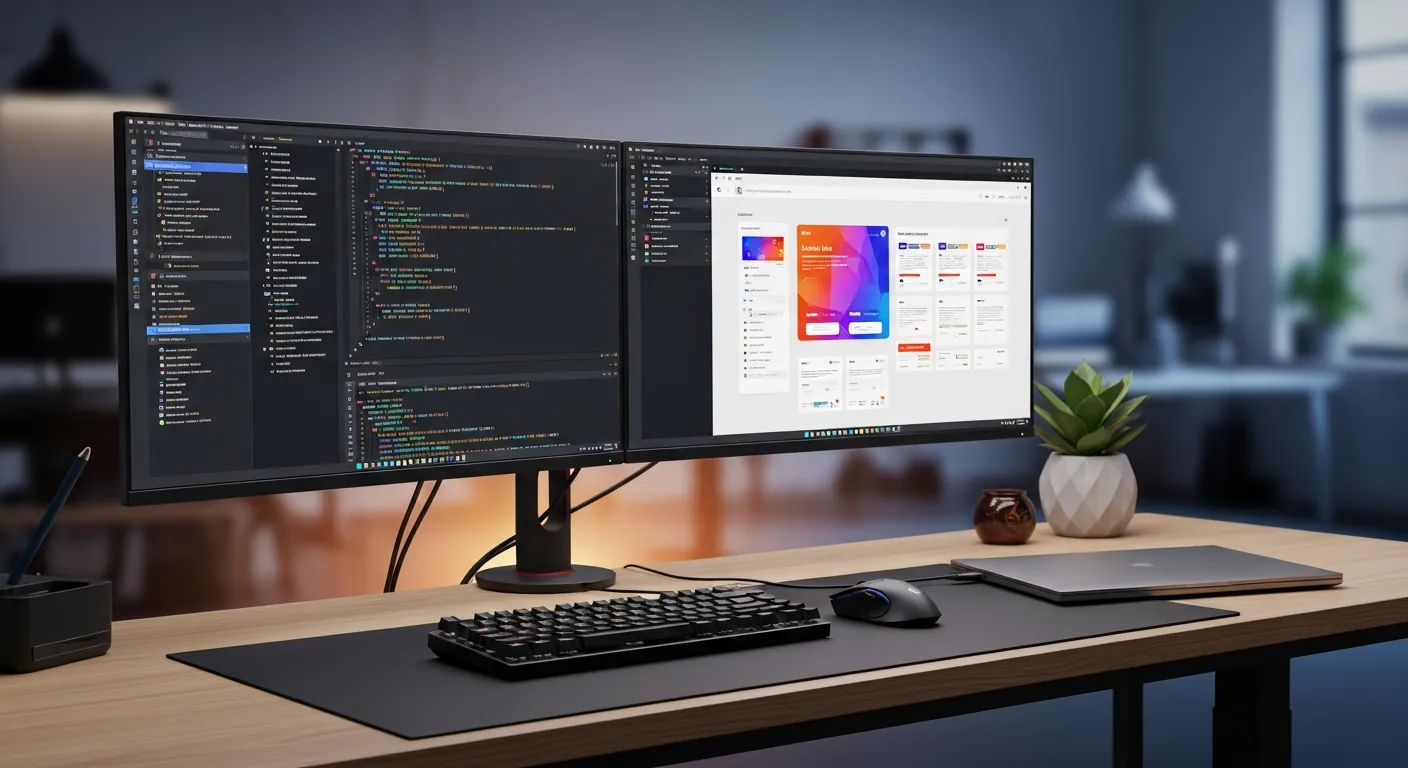
Design tokens are a contract for UI change
Design tokens are named design decisions stored as data: color, spacing, typography, radius, shadow, and state values. Instead of scattering #2563eb, 16px, and 0.5rem across components, you keep the source of truth in a file such as tokens.json and generate platform-specific output from it.
Claude Code works well here because token work is reviewable. It can inspect existing CSS, find repeated raw values, propose semantic names, update components, run a token build, and summarize the diff. The risky prompt is “make the UI consistent.” The safer prompt defines the token source, the components in scope, contrast rules, and the commands that must pass.
Use this guide with design system implementation and accessibility with Claude Code. Keep official references open: the stable Design Tokens Format Module 2025.10, Claude Code docs, Figma Variables plugin API, Tailwind theme docs, Style Dictionary docs, MDN CSS custom properties, and WCAG contrast guidance.
Raw, semantic, and component tokens
Raw tokens describe the ingredient: color.blue.600, space.4, font.size.base. Semantic tokens describe intent: color.action.primary.bg, color.text.muted, color.surface.default. Component tokens describe one component’s local contract: button.primary.paddingX.
Start with raw and semantic tokens. Add component tokens only when a real component needs a stable API across themes or brands. If a button consumes color.blue.600 directly, a future rebrand can leave misleading names behind. If it consumes color.action.primary.bg, the value can change while the purpose stays clear.
| Token type | Example | Best use |
|---|---|---|
| Raw | color.blue.600 | Palettes, spacing scales, typography scales |
| Semantic | color.action.primary.bg | Product meaning and theme switching |
| Component | button.primary.paddingX | Component-specific exceptions |
Turn Figma-like specs into a code contract
Figma Variables are useful, but Claude Code should receive a reviewable handoff contract, not an unfiltered naming dump. A Figma-like spec states the source file, modes, requested change, affected components, and review rules. This reduces the risk of copying a visual name like Blue / 600 into React when the product really needs color.action.primary.bg.
{
  "figmaSource": {
    "file": "Marketing UI Kit",
    "collection": "Brand v2",
    "modes": ["light", "dark"]
  },
  "changeRequest": {
    "type": "replace-token",
    "from": "color.blue.600",
    "to": "color.action.primary.bg",
    "components": ["Button", "Link", "Card"]
  },
  "reviewRules": [
    "Do not use raw color tokens in component CSS.",
    "Keep focus and hover tokens explicit.",
    "List affected use case and pitfall before editing files."
  ]
}
Ask Claude Code to produce the impact table first and edit files only after review. That workflow catches a common pitfall: a single token change can affect button backgrounds, link color, card accents, and focus outlines at the same time.
Runnable token file
Create tokens/tokens.json:
{
  "color": {
    "blue": {
      "50": { "$type": "color", "$value": "#eff6ff" },
      "600": { "$type": "color", "$value": "#2563eb" },
      "700": { "$type": "color", "$value": "#1d4ed8" }
    },
    "slate": {
      "50": { "$type": "color", "$value": "#f8fafc" },
      "100": { "$type": "color", "$value": "#f1f5f9" },
      "700": { "$type": "color", "$value": "#334155" },
      "900": { "$type": "color", "$value": "#0f172a" }
    },
    "white": { "$type": "color", "$value": "#ffffff" },
    "focus": { "$type": "color", "$value": "#f59e0b" },
    "surface": {
      "default": { "$type": "color", "$value": "{color.white}" },
      "muted": { "$type": "color", "$value": "{color.slate.50}" },
      "inverse": { "$type": "color", "$value": "{color.slate.900}" }
    },
    "text": {
      "default": { "$type": "color", "$value": "{color.slate.900}" },
      "muted": { "$type": "color", "$value": "{color.slate.700}" },
      "inverse": { "$type": "color", "$value": "{color.white}" }
    },
    "action": {
      "primary": {
        "bg": { "$type": "color", "$value": "{color.blue.600}" },
        "bgHover": { "$type": "color", "$value": "{color.blue.700}" },
        "text": { "$type": "color", "$value": "{color.white}" }
      }
    }
  },
  "dark": {
    "color": {
      "surface": {
        "default": { "$type": "color", "$value": "{color.slate.900}" },
        "muted": { "$type": "color", "$value": "{color.slate.700}" }
      },
      "text": {
        "default": { "$type": "color", "$value": "{color.white}" },
        "muted": { "$type": "color", "$value": "{color.slate.100}" }
      },
      "action": {
        "primary": {
          "bg": { "$type": "color", "$value": "{color.blue.50}" },
          "bgHover": { "$type": "color", "$value": "{color.white}" },
          "text": { "$type": "color", "$value": "{color.slate.900}" }
        }
      }
    }
  },
  "space": {
    "2": { "$type": "dimension", "$value": "0.5rem" },
    "3": { "$type": "dimension", "$value": "0.75rem" },
    "4": { "$type": "dimension", "$value": "1rem" },
    "6": { "$type": "dimension", "$value": "1.5rem" }
  },
  "font": {
    "size": {
      "sm": { "$type": "dimension", "$value": "0.875rem" },
      "base": { "$type": "dimension", "$value": "1rem" },
      "lg": { "$type": "dimension", "$value": "1.125rem" }
    },
    "weight": {
      "medium": { "$type": "fontWeight", "$value": "500" },
      "bold": { "$type": "fontWeight", "$value": "700" }
    }
  },
  "radius": {
    "md": { "$type": "dimension", "$value": "0.5rem" },
    "lg": { "$type": "dimension", "$value": "0.75rem" }
  },
  "shadow": {
    "button": { "$type": "shadow", "$value": "0 1px 2px rgb(15 23 42 / 0.16)" }
  }
}
Generate CSS variables with Style Dictionary
Install the build tool:
npm install --save-dev style-dictionary
Create style-dictionary.config.js:
export default {
  source: ["tokens/tokens.json"],
  hooks: {
    formats: {
      "css/variables-with-dark": ({ dictionary }) => {
        const light = dictionary.allTokens
          .filter((token) => !token.path.includes("dark"))
          .map((token) => `  --${token.name}: ${token.value};`)
          .join("\n");

        const dark = dictionary.allTokens
          .filter((token) => token.path[0] === "dark")
          .map((token) => `  --${token.path.slice(1).join("-")}: ${token.value};`)
          .join("\n");

        return `:root {\n${light}\n}\n\n[data-theme="dark"] {\n${dark}\n}\n`;
      }
    }
  },
  platforms: {
    css: {
      transformGroup: "css",
      buildPath: "src/styles/",
      files: [{ destination: "tokens.css", format: "css/variables-with-dark" }]
    }
  }
};
Add a script:
{
  "scripts": {
    "tokens:build": "style-dictionary build --config style-dictionary.config.js"
  }
}
The generated CSS should look like this:
:root {
  --color-action-primary-bg: #2563eb;
  --color-action-primary-bg-hover: #1d4ed8;
  --color-action-primary-text: #ffffff;
  --space-3: 0.75rem;
  --space-4: 1rem;
  --font-size-base: 1rem;
  --font-weight-bold: 700;
  --radius-md: 0.5rem;
  --shadow-button: 0 1px 2px rgb(15 23 42 / 0.16);
}

[data-theme="dark"] {
  --color-surface-default: #0f172a;
  --color-text-default: #ffffff;
  --color-action-primary-bg: #eff6ff;
  --color-action-primary-text: #0f172a;
}
CSS custom properties are browser-native variables. With [data-theme="dark"], the same component consumes different values without duplicating component CSS.
Wire tokens into Tailwind
/** @type {import('tailwindcss').Config} */
module.exports = {
  content: ["./src/**/*.{ts,tsx,js,jsx,mdx}"],
  theme: {
    extend: {
      colors: {
        surface: {
          DEFAULT: "var(--color-surface-default)",
          muted: "var(--color-surface-muted)"
        },
        text: {
          DEFAULT: "var(--color-text-default)",
          muted: "var(--color-text-muted)",
          inverse: "var(--color-text-inverse)"
        },
        action: {
          primary: "var(--color-action-primary-bg)",
          "primary-hover": "var(--color-action-primary-bg-hover)"
        }
      },
      spacing: {
        3: "var(--space-3)",
        4: "var(--space-4)",
        6: "var(--space-6)"
      },
      borderRadius: {
        md: "var(--radius-md)",
        lg: "var(--radius-lg)"
      },
      boxShadow: {
        button: "var(--shadow-button)"
      }
    }
  }
};
Consume tokens in a React button
import "./Button.css";

type ButtonProps = {
  children: React.ReactNode;
  onClick?: () => void;
  disabled?: boolean;
};

export function Button({ children, onClick, disabled = false }: ButtonProps) {
  return (
    <button className="Button" onClick={onClick} disabled={disabled}>
      {children}
    </button>
  );
}
.Button {
  background: var(--color-action-primary-bg);
  border: 0;
  border-radius: var(--radius-md);
  box-shadow: var(--shadow-button);
  color: var(--color-action-primary-text);
  cursor: pointer;
  font-size: var(--font-size-base);
  font-weight: var(--font-weight-bold);
  padding: var(--space-3) var(--space-4);
}

.Button:hover:not(:disabled) {
  background: var(--color-action-primary-bg-hover);
}

.Button:focus-visible {
  outline: 3px solid var(--color-focus);
  outline-offset: 2px;
}

.Button:disabled {
  cursor: not-allowed;
  opacity: 0.55;
}
Practical use cases
First, use tokens for Figma-to-code handoff. Figma Variables are useful design input, but tokens.json should be the reviewed code contract. Ask Claude Code to compare the Figma export with existing tokens and list renamed, added, and removed values before it edits components.
Second, use semantic tokens for dark mode. Do not duplicate every component stylesheet. Override surface, text, and action tokens under [data-theme="dark"] and keep components stable.
Third, use tokens to prevent drift during a rebrand or landing page refresh. If one CSS file changes to #1d4ed8 and another stays #2563eb, the UI slowly fragments. A token build plus Storybook screenshots makes the change visible and reviewable.
Fourth, use Claude Code as a review assistant. It can flag raw color usage, generated CSS edits, missing focus states, and contrast regressions before the pull request reaches a human reviewer.
Pitfalls to avoid
Do not create hundreds of component tokens on day one. Start with color, spacing, typography, radius, shadow, and a small semantic layer. Add component tokens when a component really needs its own contract.
Do not name tokens only by appearance. blueButton ages badly. primaryAction survives a brand color change.
Do not hand-edit generated CSS. Change tokens/tokens.json, run npm run tokens:build, and review the generated diff.
Do not postpone accessibility. Check normal, hover, disabled, focus, light theme, and dark theme contrast while the token change is small. WCAG AA normal text needs at least 4.5:1 contrast.
Review checklist
-
tokens/tokens.jsonis the only edited source; generatedsrc/styles/tokens.csswas not hand-edited. - Button, Link, and Card use cases were checked in light, dark, hover, disabled, and focus states.
- React and Tailwind code consume semantic tokens instead of raw palette tokens.
- The PR explains the Figma-like spec, affected components, pitfall, risk, and workflow.
- WCAG 2.2 AA contrast was checked for normal text and interactive UI states.
- Claude Code suggestions were reviewed by a human for naming, brand intent, and scope.
Claude Code review prompt
Design token review task:
- Read tokens/tokens.json, style-dictionary.config.js, src/styles/tokens.css, tailwind.config.js, and src/components/Button.tsx.
- Check that components use semantic tokens, not raw color tokens.
- Verify light and dark theme values for button, surface, and text tokens.
- Flag any generated CSS file that was edited manually.
- Check WCAG 2.2 AA contrast for normal text and button text.
- Suggest the smallest safe diff. Do not rename tokens unless you list every affected component.
- After changes, run npm run tokens:build and the focused component tests.
Wrap-up
Design tokens connect design decisions to code, tests, and review. A practical Claude Code workflow is: maintain tokens.json, generate CSS variables with Style Dictionary, map those variables into Tailwind, consume semantic tokens in components, and review every PR for drift and contrast.
Try this first on three components: Button, Link, and Card. For self-paced prompts and checklists, use ClaudeCodeLab products. For a broader rollout, continue with the design system guide, or use ClaudeCodeLab training and consultation when your team needs review rules for a real repository.
I verified the hands-on path by building CSS variables from the sample token file and wiring the generated values into a React button’s background, text color, spacing, radius, shadow, and focus outline. In production, add Storybook states, axe checks, and screenshot review before merging.
Related Posts

Build a Design System with Claude Code: Design Tokens, Storybook, and CI
Use Claude Code for design tokens, React/TypeScript components, Storybook, accessibility, visual tests, and CI.

Production CSS Styling with Claude Code: Layers, Tokens, and Visual Checks
Use Claude Code to harden production CSS with layers, tokens, container queries, dark mode, a11y, and visual checks.

CSS Variables With Claude Code: Practical Theme Tokens
Use Claude Code to implement CSS variables, var() fallbacks, theme tokens, dark mode, and safer UI reviews.
Free PDF: Claude Code Cheatsheet
Enter your email and download the one-page Claude Code cheatsheet for commands, review habits, and safe workflows.
We handle your data with care and never send spam.
Level up your Claude Code workflow
Start with the free PDF, use Gumroad guides when you need repeatable workflows, and book consultation when rollout or revenue paths need human judgment.

About the Author
Masa
Engineer focused on practical Claude Code workflows. Runs claudecode-lab.com, a 10-language technical media site.
Related Products
50 Battle-Tested Claude Code Prompt Templates
Copy, paste, ship. 50 production-ready prompts.
Use proven prompts for code review, refactoring, testing, documentation, debugging, architecture, and incident response.
The Complete Claude Code Setup & Configuration Guide
From install to team-ready workflow.
A practical guide to installation, CLAUDE.md, hooks, MCP servers, permissions, IDE setup, and CI/CD workflows.